How to Take eBay Photos With Your Phone That Actually Sell
You don't need a camera or a studio. Good light, a plain background and a short shot list are enough to make a phone photo that sells.
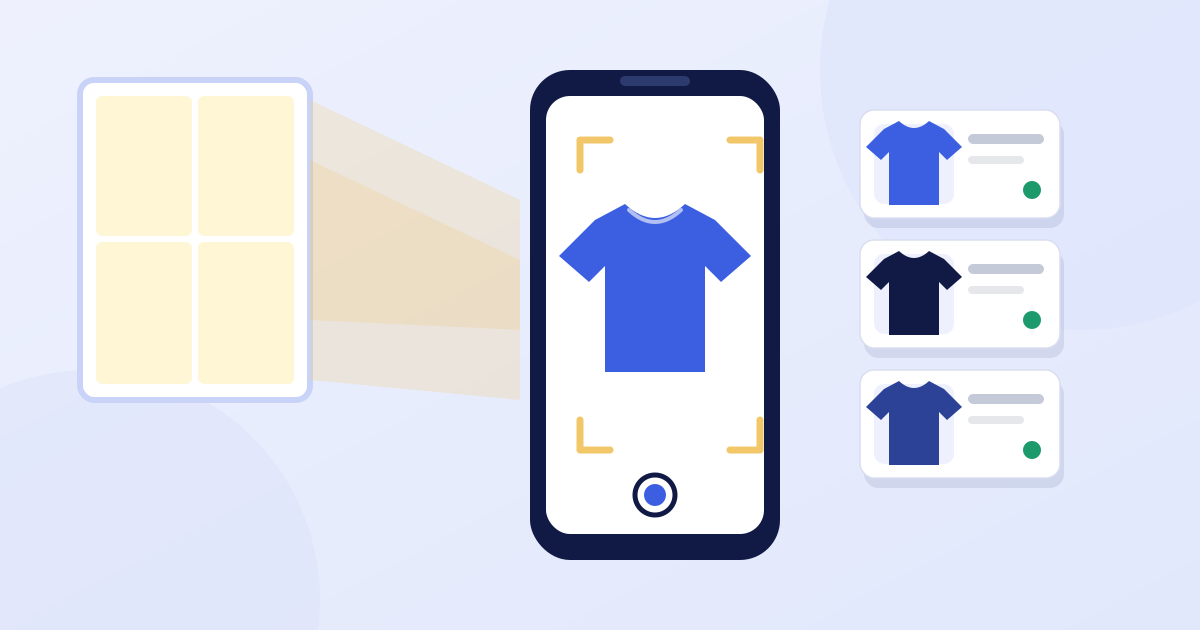
Buyers can't touch what you sell. Your photos are the whole store. The good news is that the phone in your pocket is already a better camera than anything a reseller had twenty years ago. What separates a photo that sells from one that doesn't is light, background and coverage, not equipment.
Set up once, reuse forever
Pick a spot and leave it set up so photographing takes seconds, not minutes.
- Background: a plain white or light gray surface. A sheet of poster board, a bedsheet or a folding table works. It makes the item stand out and keeps buyers' eyes off your living room.
- Light: next to a window in daytime. Soft, indirect daylight is the most flattering and the most accurate for color. Stand so the window is beside your item, not behind it.
- No flash. It flattens detail, creates glare and casts harsh shadows. If you need more light, add a lamp from the side.
- Steady phone: lean your elbows on a table, or use a cheap tripod or phone stand. Blurry photos are the number one reason a good item doesn't sell.
The eight-photo shot list
eBay lets you add up to 24 photos to a listing, and buyers use them. A simple, repeatable set covers almost everything:
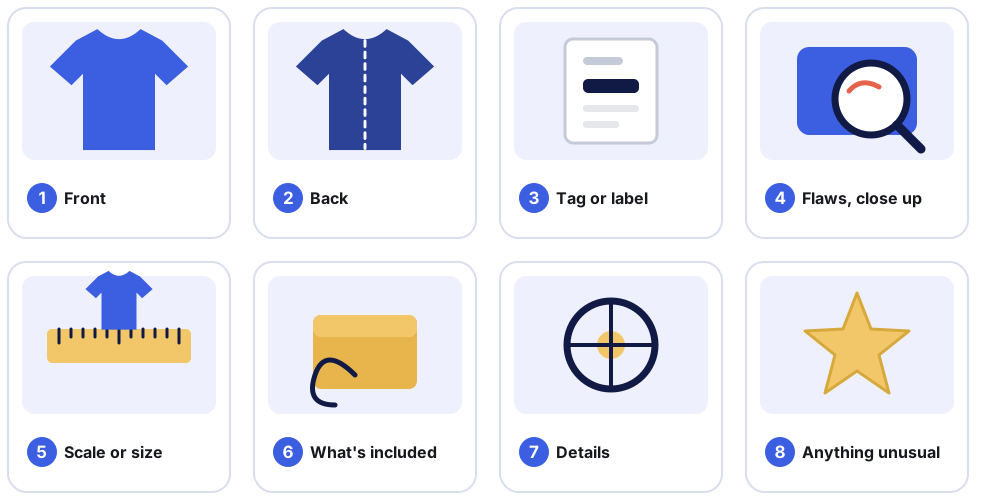
- Front. Your lead photo, the one in search results. Fill most of the frame.
- Back. Buyers always want to see it.
- Tag or label. Brand, size, material, model number. Sharp enough to read.
- Flaws, up close. Every scuff, stain, scratch or fray. More on this below.
- Scale or measurements. A ruler or tape in frame, or the numbers written in the description.
- What's included. The box, charger, cables, manual, case.
- Details. Zippers, ports, buttons, seams, the part buyers worry about.
- Anything unusual. Signatures, engravings, date codes, special editions.
Camera habits that make a difference
- Wipe the lens. A smudge softens every photo. It takes two seconds.
- Fill the frame. The item should take up most of the picture. Crop tighter rather than leaving empty background.
- Tap to focus on the item, then take the shot.
- Skip digital zoom. Move closer instead. Zoom just crops and blurs.
- Turn on the grid in your camera settings to keep lines level.
- Size is rarely a problem. eBay has long recommended photos at least 1,600 pixels on the longest side so buyers can zoom, and any current phone clears that easily.
Fixing common problems
| Problem | Likely cause | Fix |
|---|---|---|
| Yellow or blue color cast | Mixed lighting | Turn off room lights and use window light only |
| Harsh shadows | Light from one hard source | Move the item toward a window, or bounce light with a white sheet |
| Glare on shiny items | Light reflecting straight back | Change the angle of the item or the lamp |
| Dark photo | Not enough light | Move closer to the window, not the flash |
| Item looks small | Too much background | Move closer and crop |
Photograph the flaws
It feels backwards, but showing damage sells more reliably than hiding it. A buyer who sees the flaw and buys anyway doesn't send the item back. A buyer who finds it on arrival opens a return, and you pay for shipping both ways. Take a close, well-lit photo of each flaw and mention it in the description. Describing condition honestly covers how.
Clothing, electronics and books
Clothing. Lay it flat on a clean sheet, smooth out wrinkles, and photograph the front, back, tags and any wear. Add a measurement photo: pit to pit, length, and inseam for pants.
Electronics. Show it powered on if you've tested it, and photograph the model or serial label. Wipe personal data from any device before you sell it, and don't show your own account details on screen.
Books and media. Front cover, back cover, spine, and the copyright page for editions and ISBNs.
Photograph in batches
Don't shoot one item, list it, then start the next. Photograph the whole pile in one session while the light is good, keep each item's photos together in its own folder or album, and list afterward. It's the single biggest time saver in reselling. There's more on this in how to list on eBay faster.
Keep reading

eBay Fees Explained: What You'll Actually Pay (With Worked Examples)
A plain-English breakdown of eBay's final value fee, the per-order fee and what they do to your profit, with worked examples you can check against your own sales.

How to Price eBay Items Using Sold Listings (Step by Step)
Active listings show what sellers hope for. Sold listings show what buyers actually paid. Here's how to use them to price quickly without leaving money on the table.

How to Write an eBay Title That Gets Found (80 Characters, With Examples)
Your title is the main thing eBay's search matches against. Here's a simple formula for using all 80 characters well, with before-and-after examples.